
Everything SPLIT does
The images come from the real program, with data from a sample race.
In the race
Who is around you, how fast you are catching them, who has just left the pits, who is coming alongside. Everything that happens outside your cockpit.
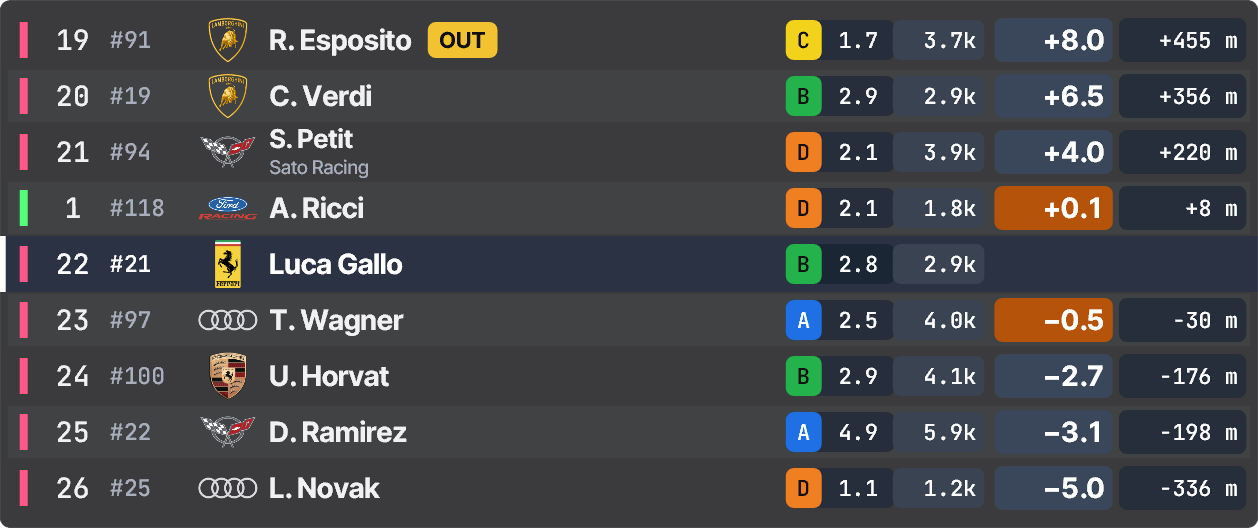
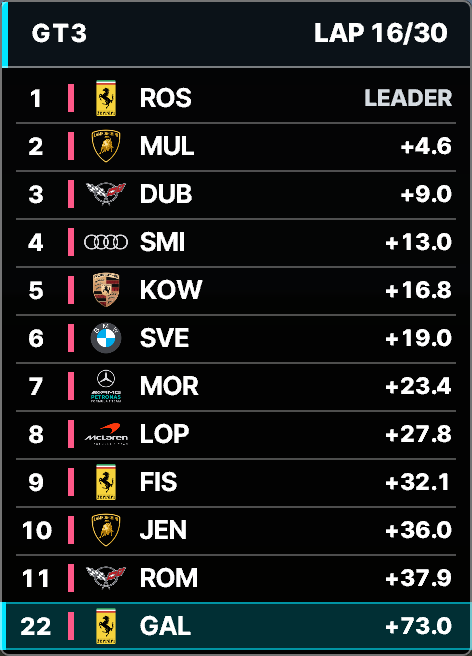
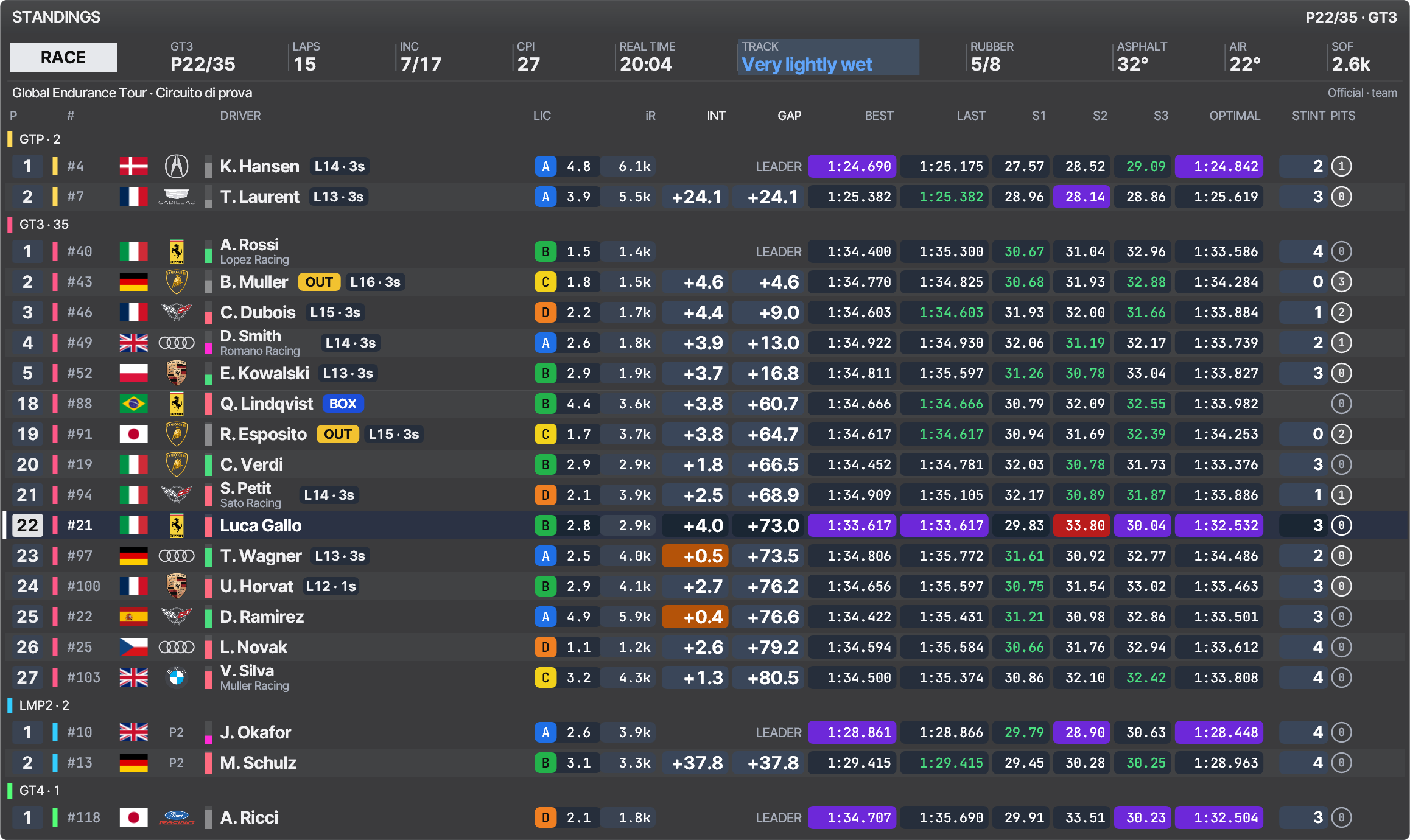
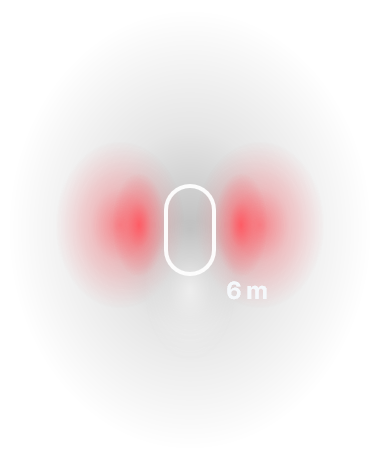
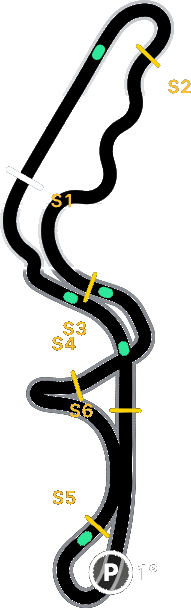
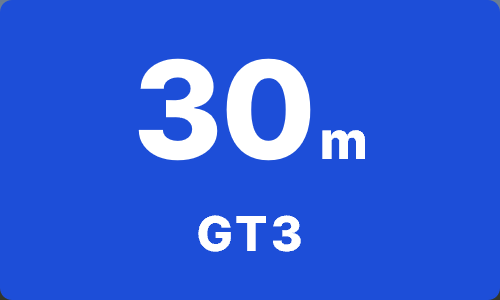
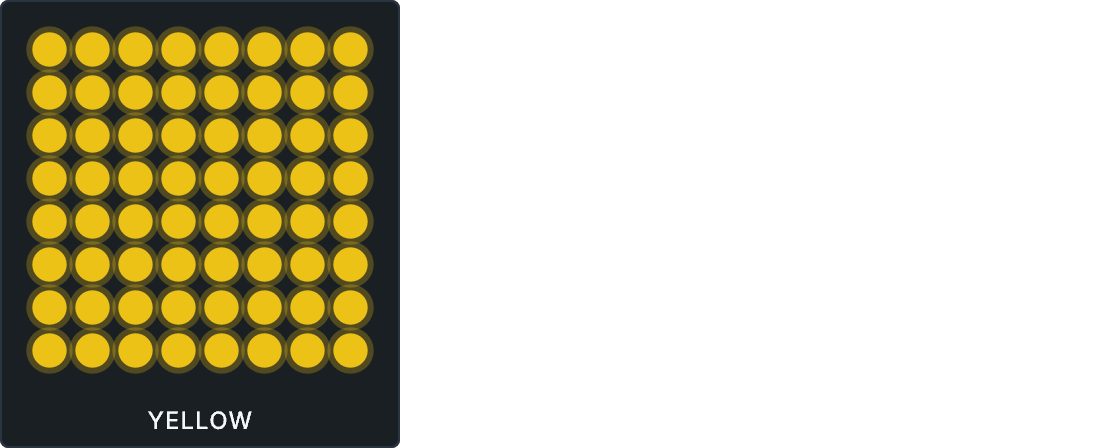
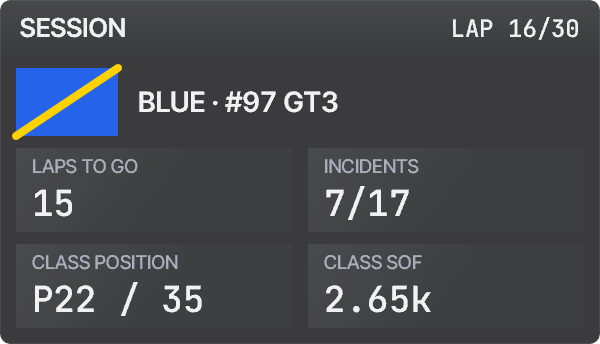
| Overlay | What it shows |
|---|---|
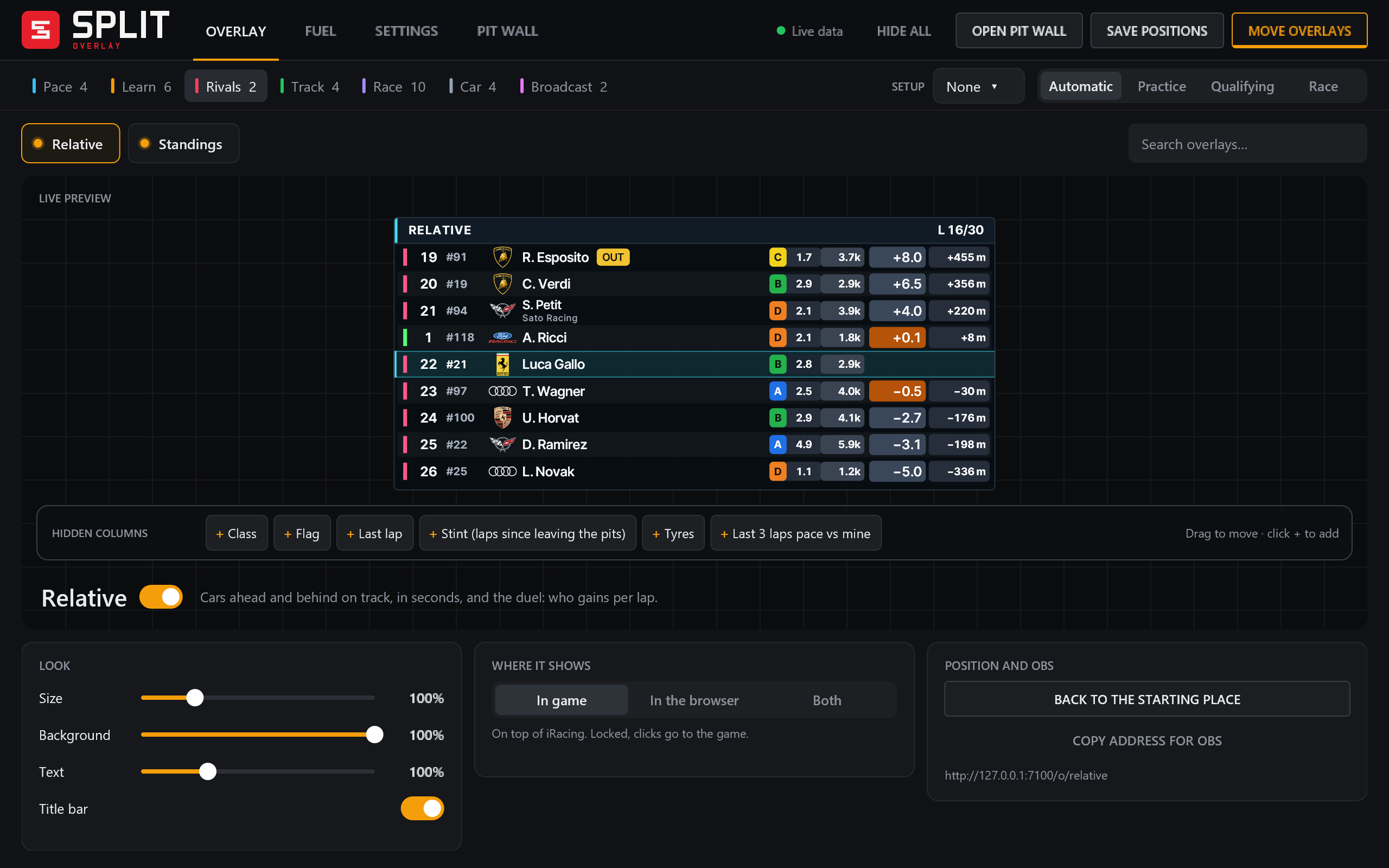
| Relative | Who is ahead and behind on track, with gap, licence, iRating and who has just left the pits |
| Standings | All classes or yours, with times, sectors, optimal lap and stops |
| Tower | Class standings as a vertical tower, like on TV |
| Radar | Cars alongside, left and right, with distance |
| Map | The real track with everyone on it: full, zoomed or as a line |
| Flags | Flags and warnings as LEDs or tiles, blue flag with class and distance |
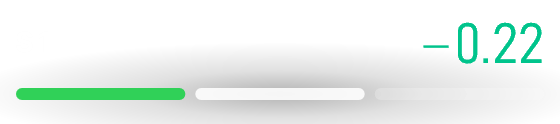
| Delta | Delta against your best today, the session fastest or your all-time record |
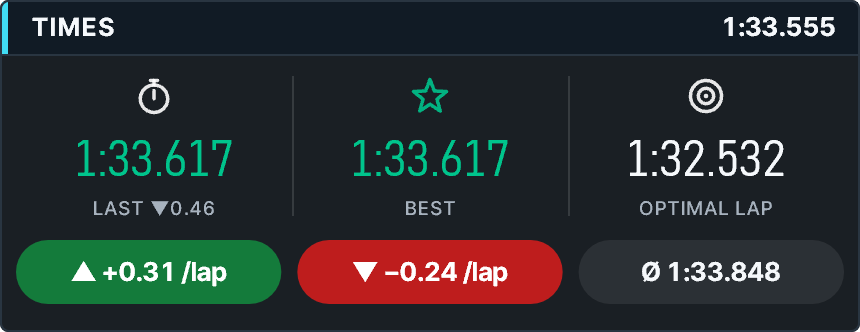
| Times and sectors | Last, best, optimal lap, 5 lap average, sector by sector |
| Weather | Rain, track wetness, air and track temperature |
Pit Wall
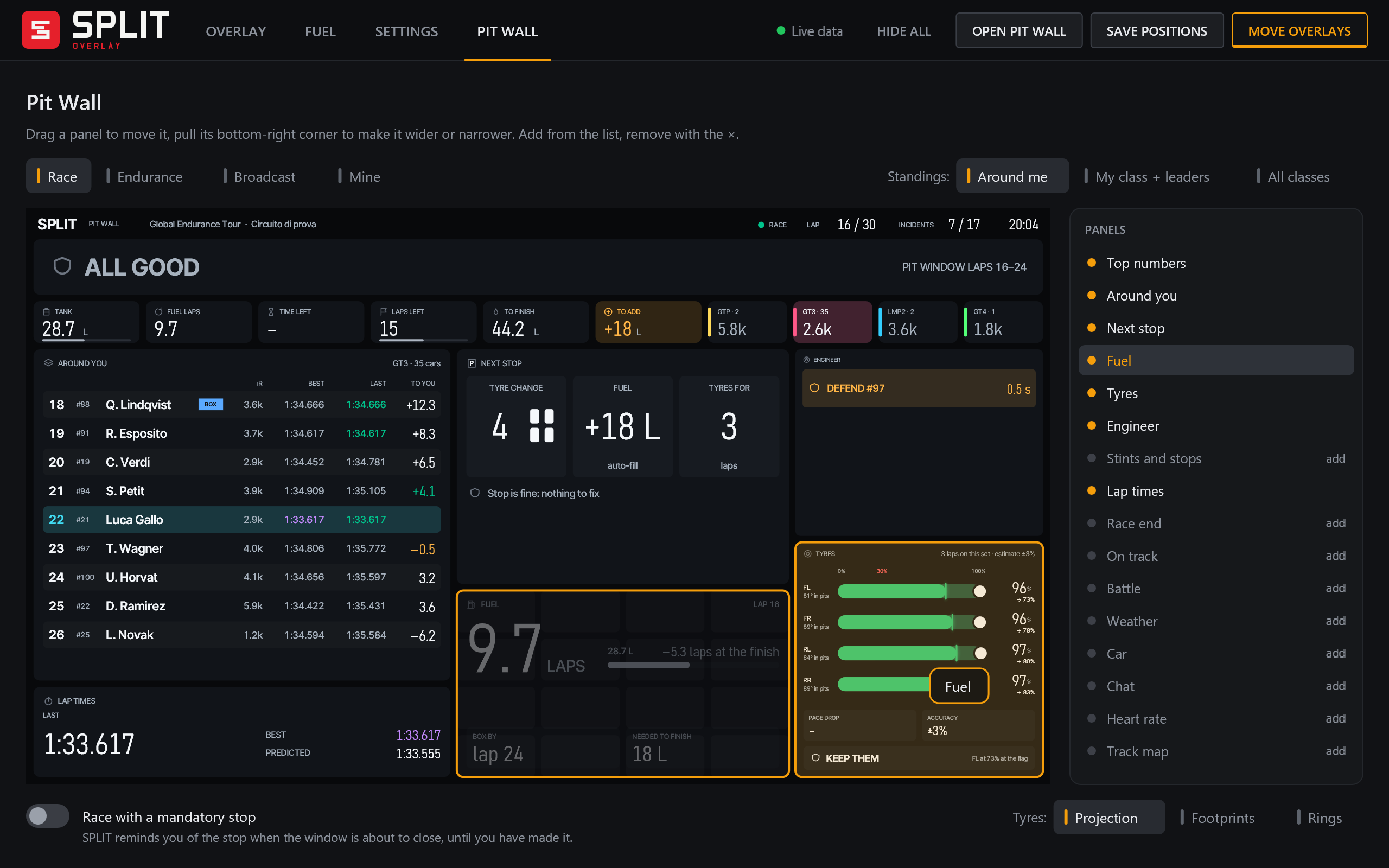
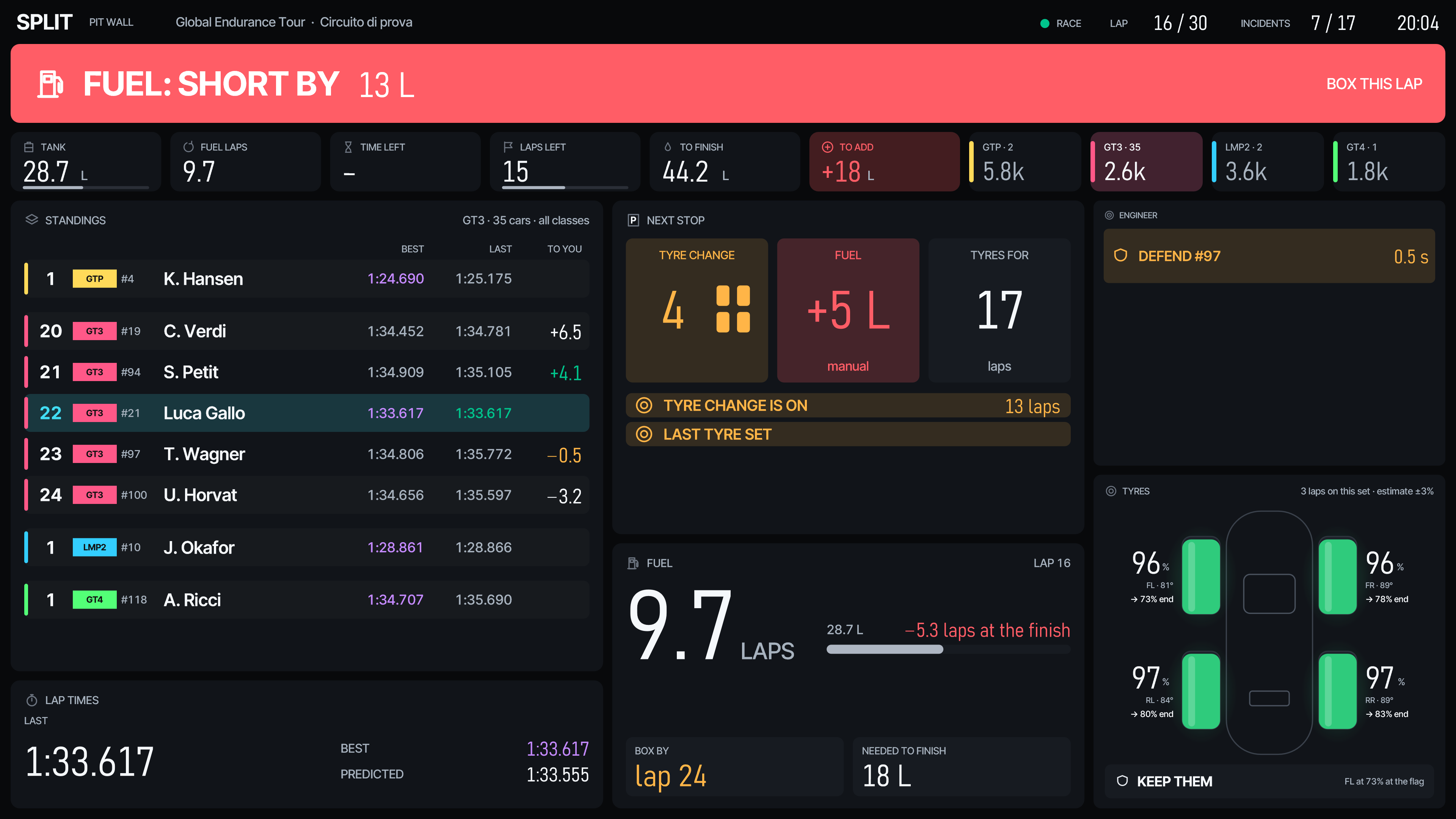
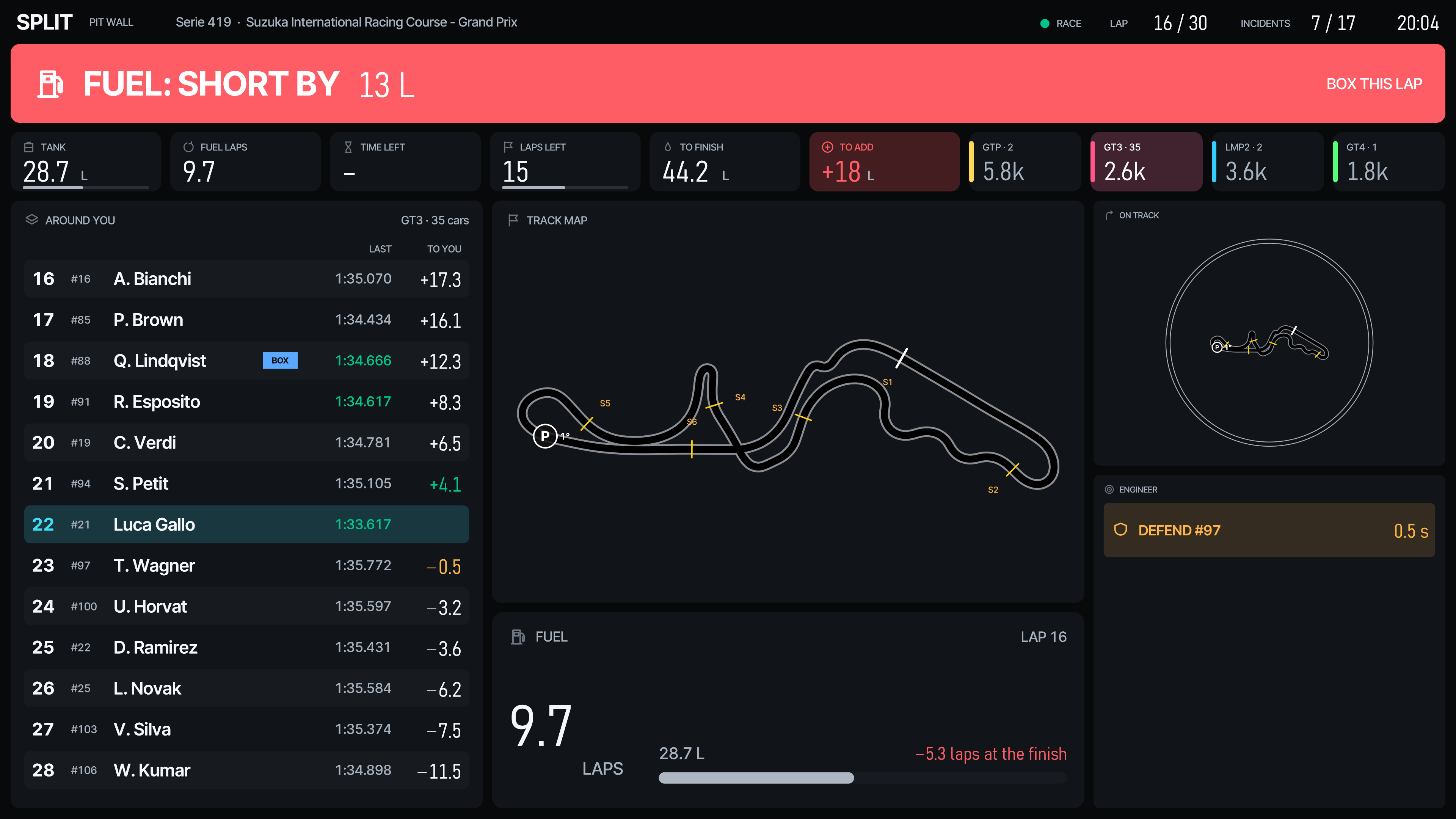
The pit wall on your second monitor or tablet. It stays quiet while all is well; when something is off, the most urgent warning goes on top, big, in the right colour. Below, the panels you choose, as big as you want.
- Panels
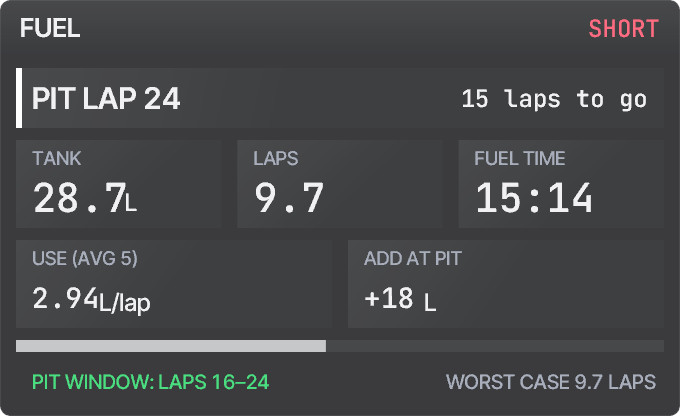
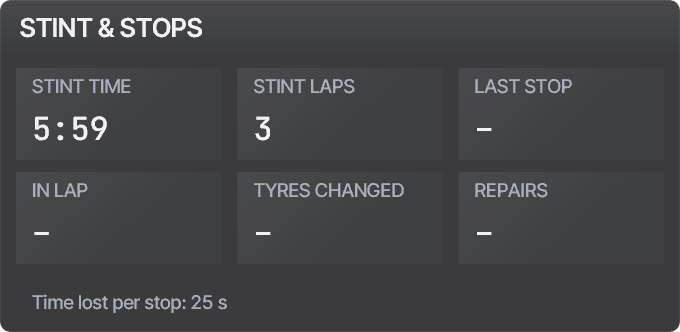
- 16: top numbers, standings, next stop, fuel, tyres, engineer, stints and stops, times, race end, on track, battle, weather, car, chat, heart rate, track
- Ready layouts
- Race, Endurance, Broadcast, plus your own
- Standings
- Around you, your class with the leader of the others, all classes
- Tyres
- Wear estimated lap by lap, learned from your own stops, with a "change" or "do not change" call. Three ways to see them: the tyres on the car seen from above, bars, rings
- On a tablet
- The same Pit Wall in a browser, on your home network
Pit stop
Set 5 litres when you need 18? SPLIT compares the stop you have set with the one you need to finish, and tells you on the in lap. It never touches the iRacing pit boxes: it only warns.
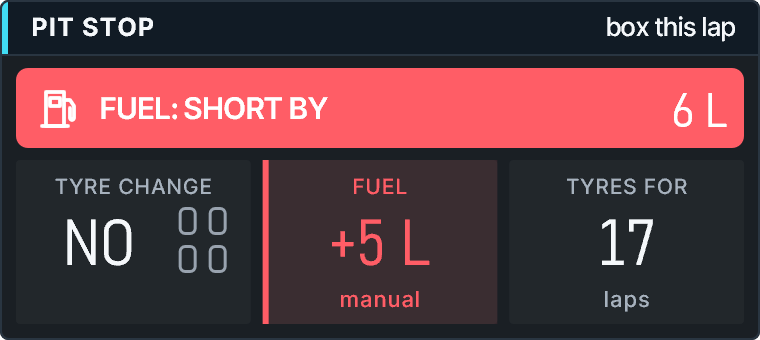
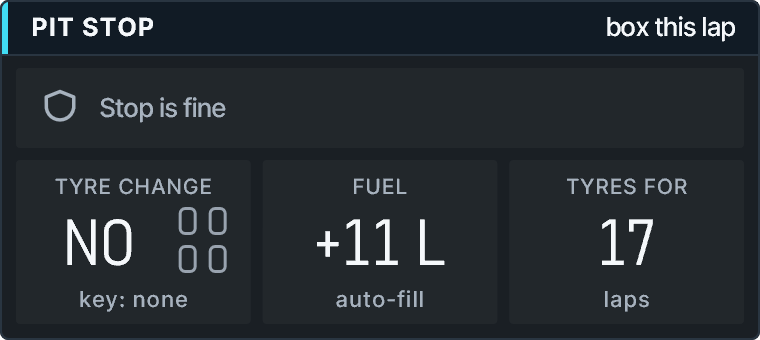
- Red before amber: not enough fuel or too much, pit lane closed, pit lane speed, limiter on out on track, mandatory stop not done yet
- Shows up by itself on the in lap and in the pit lane, then goes away
- "Stop without tyres" button to tell it what you decided
- Switch for races with a mandatory stop
- The same warnings in the Pit Wall and in the engineer
Engineer and coach
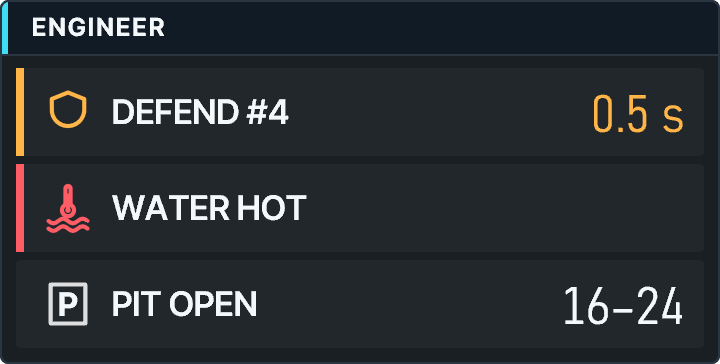
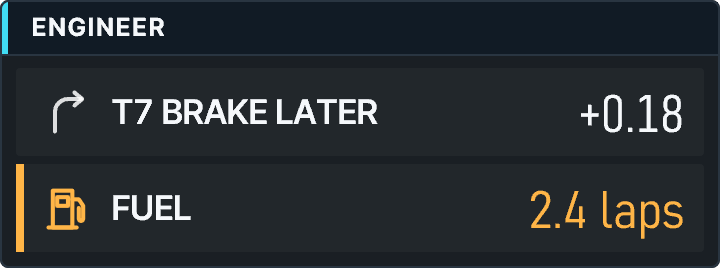
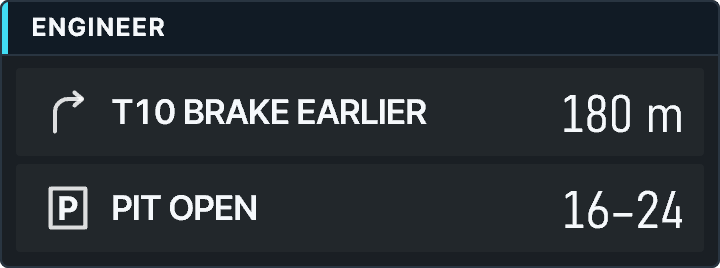
Defend from #4, half a second. Water hot. Pit open. The engineer picks the most important thing right now and tells you in one line, at most three at a time. The coach watches the corners: brake earlier into turn 10, later into turn 7.
Telemetry and reference lap
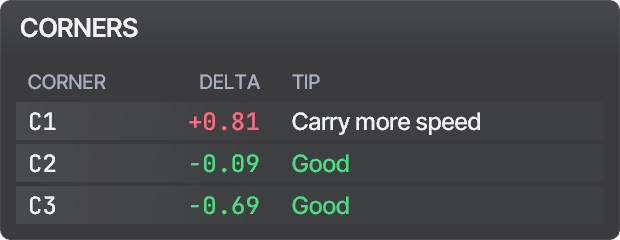
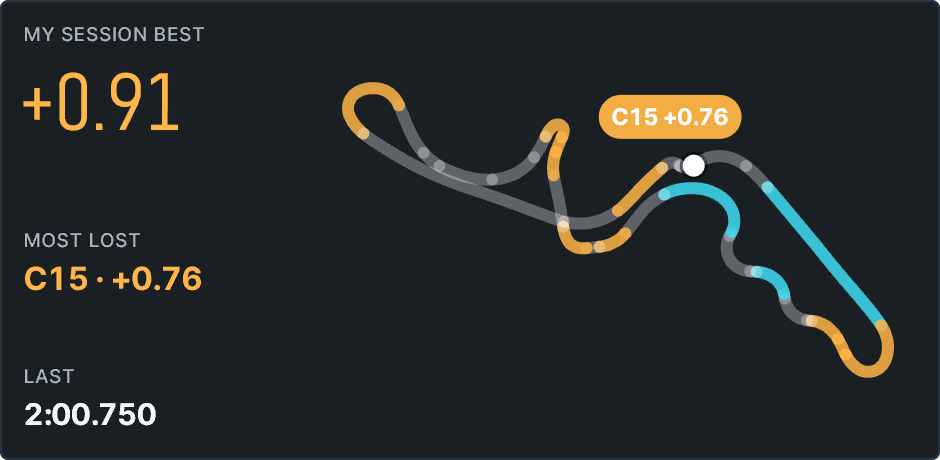
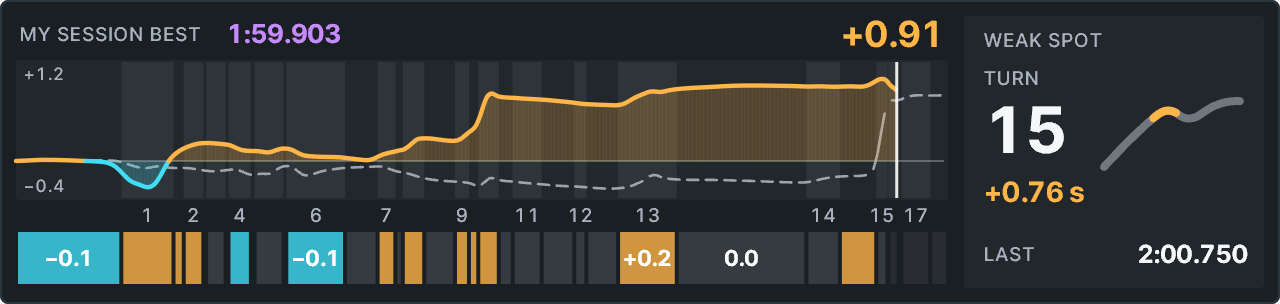
Turn 15, 0.76 lost. Your lap against a reference, while you drive: as a chart, one tile per corner or drawn on the track. You choose the reference: your best, the session fastest, your record, a lap from Garage 61.

- References
- Your best today, the session fastest, your record for that track and car, a loaded lap
- Garage 61
- Load the CSV file of a lap exported from Garage 61 and use it as the reference for telemetry, pedals and coach
- Weak spot
- The corner where you lose the most, with the time lost
Images from a real lap at Suzuka.
Car
Throttle, brake, gear and speed; wear and temperatures of all four tyres; brake bias, engine map, traction control and ABS. Without taking your eyes off the track.
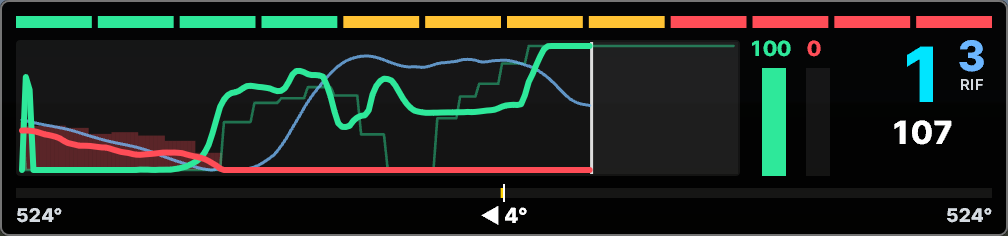
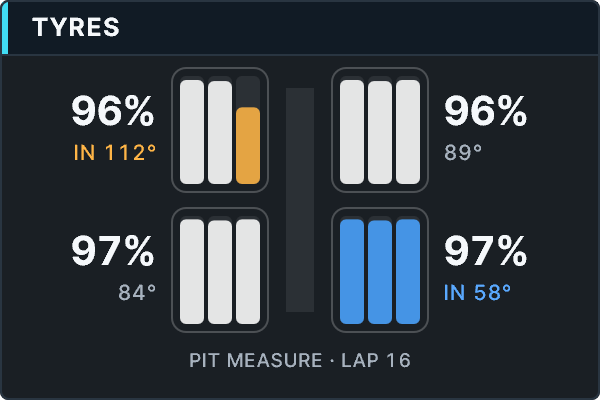
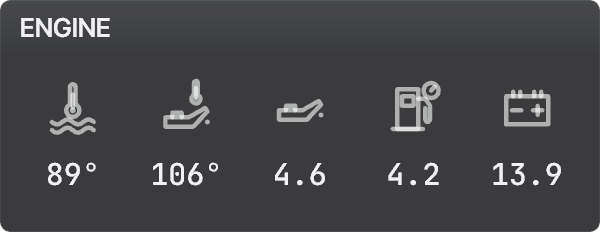

- Pedals with throttle and brake traces and, if you want, the reference lap underneath
- Tyres: wear and temperatures measured in the pits, with the lap of the reading
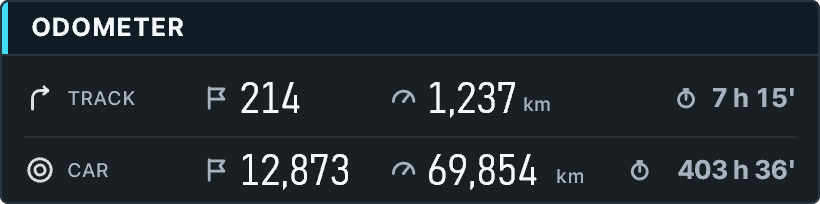
- Odometer: laps, kilometres and hours for every track and car, with your history imported from iRacing telemetry
VR
The same overlays inside the headset, fixed in the cockpit as if they were mounted on the dashboard. For each one you choose distance, angle, width and opacity.
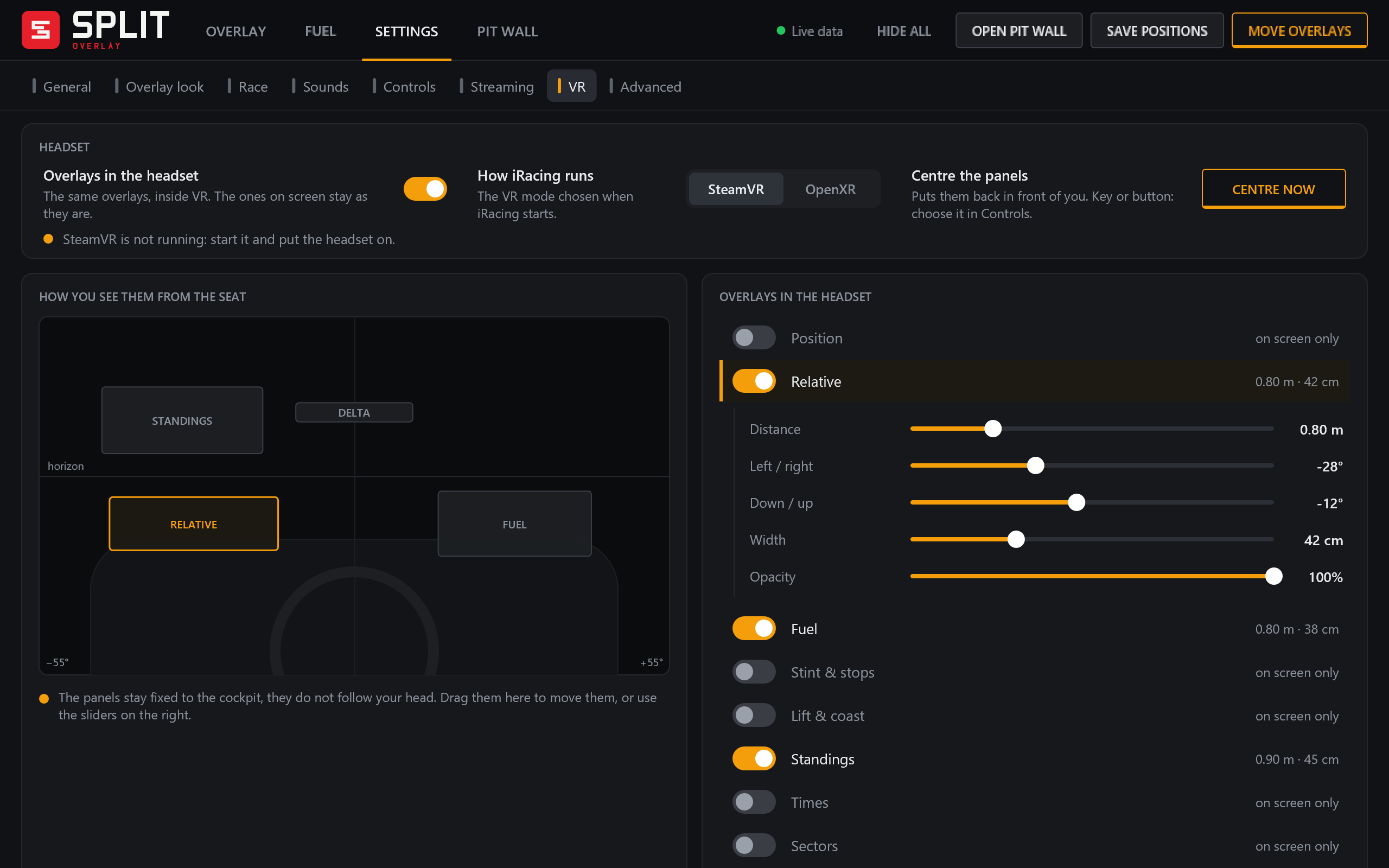
- Modes
- SteamVR, OpenXR
- For each overlay
- Distance, left/right, down/up, width, opacity
- Recentre
- One key or wheel button puts the panels back in front of you
Hub and customisation
From the hub you switch overlays on, move them on screen, pick columns, colours and sizes. iRacing does not need to be open: there is a sample race.
- Keyboard and button box commands for every action
- Four languages: Italian, English, Spanish, German
- Twitch chat as an overlay or in the Pit Wall, for streamers
Automatic updates
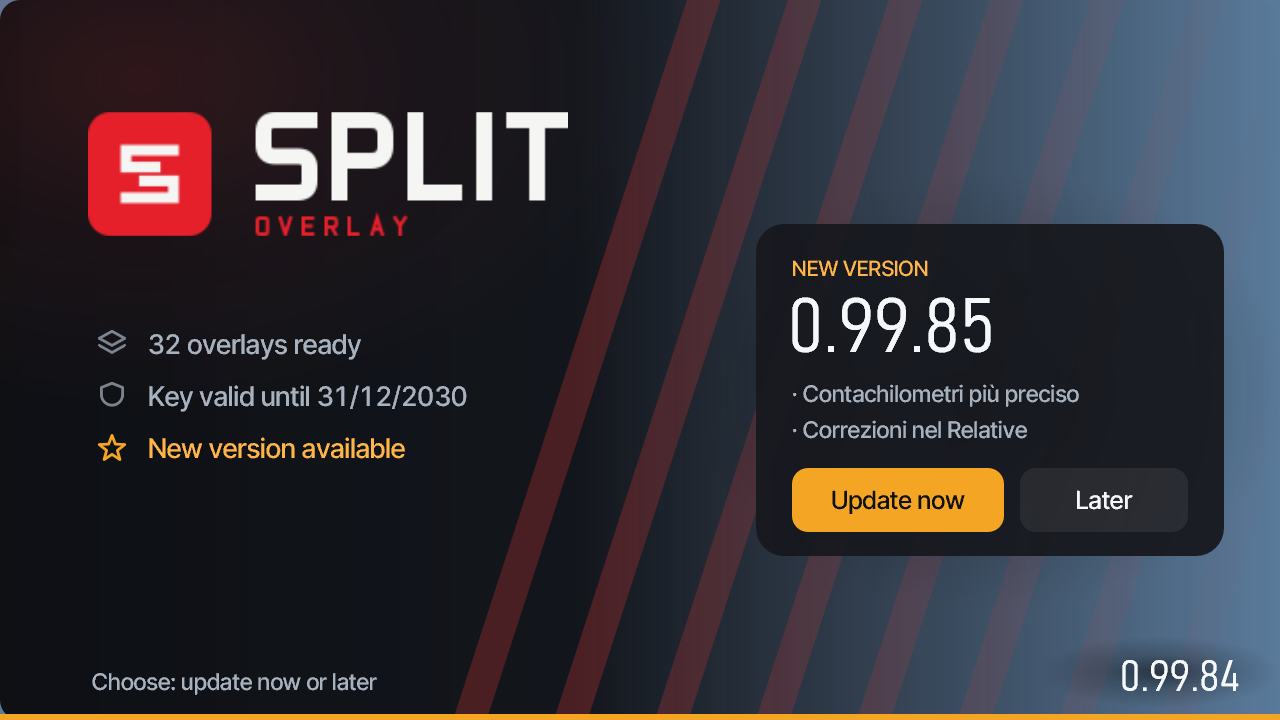
At startup SPLIT checks for a new version and shows it with the release notes. One click: it downloads, verifies the signature, installs and reopens.
Next race, everything under control.
19,99 €
Price at the 1.0 launch, one payment, VAT included. Leave your email and we will tell you.